
Last Updated: 14 September 2026
AccountEdge Pro (Build 34.1.1.1) |
AccountEdge NE (Build 34.1.1.1) |
|
| Operating System |
Latest version of:
* macOS 27 Golden Gate is not yet officially supported. * Official support for macOS Catalina, Big Sur, Monterey, Ventura ended with AccountEdge Build 33. * See below for details. |
Latest version of of:
* macOS 27 Golden Gate is not yet officially supported. * Official support for macOS Catalina, Big Sur, Monterey, Ventura ended with AccountEdge Build 33. * See below for details. |
| Hardware |
|
|
|
OfficeLink (Optional) |
Any officially supported Microsoft Office for macOS Sonoma, Sequoia, Tahoe | Any officially supported Microsoft Office for macOS Sonoma, Sequoia, Tahoe |
| Internet | Internet access required for registration, accessing program updates, payroll updates, and online help | Internet access required for registration, accessing program updates, payroll updates, and online help |
| Network |
|
|
| For better performance |
|
|
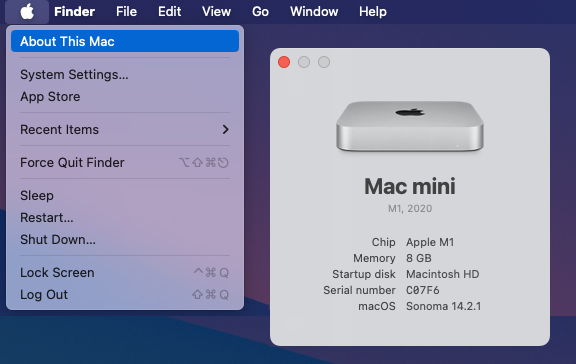
To see your computer's specification, click the Apple button at the top of your screen, then About This Mac.
Although not yet officially supported for macOS 27 Golden Gate, AccountEdge 34.1.1.1 operates well based on initial testing.
Official AccountEdge support for macOS 27 Golden Gate will be added in the coming weeks.
As with all new operating systems, unless there is a pressing need for you to upgrade, we recommend that business users wait at least 2 - 3 months before upgrading to macOS 27 Golden Gate.
This will ensure that any early teething issues have been resolved before you commit your business computer to the new macOS.
Before performing any macOS upgrade, you should ensure the compatibility of all your business critical software and hardware, and ensure you have an external backup of your AccountEdge company data.
AccountEdge Pro and AccountEdge NE Build 34 is not officially supported on macOS 10.15 Catalina, 11 Big Sur, 12 Monterey, 13 Ventura or earlier.
These operating systems are no longer supported by Apple and as a result, AccountEdge Build 34 cannot be guaranteed to run smoothly on these systems.
AccountEdge Build 34 may continue to operate on macOS Catalina, Big Sur, Monterey, and Ventura but solutions cannot be guaranteed should an issue arise on these macOS’s.
Customers requiring AccountEdge Pro or AccountEdge NE Build 34 from March 2026 should upgrade to macOS 14 Sonoma, 15 Sequoia or 26 Tahoe prior to upgrading to Build 34.
Before performing a macOS upgrade, please check the compatibility of your other business software and hardware, and ensure you have an external backup of your AccountEdge company data.
Upgrading to AccountEdge Build 34 is only mandatory for customers requiring UK Payroll updates and tax tables from 6 April 2026.
If you do not use Payroll and wish to continue using an older version of AccountEdge on an older macOS, you are of course free to do so.
Customers submitting Making Tax Digital for VAT Returns to HMRC can continue to use AccountEdge 2021 or later, however should an update be required in respect to VAT compliance changes, these will only be made available in the latest version.
Payroll users will require AccountEdge Build 34 to process pays from 6 April 2026.
Please check this system requirements page before upgrading.
Please consult Apple or your IT administrator about your options for upgrading your computer's macOS.
Before performing any macOS upgrade, check the compatibility of all your business critical software and hardware, and ensure you have an external backup of your AccountEdge company data.
Note:
AccountEdge Pro replaced AccountEdge and AccountEdge Plus from November 2021.
AccountEdge NE replaced AccountEdge Plus NE from November 2021.
AccountEdge Pro products introduced support for macOS 64-bit operating systems, and Apple silicon processors.
A list of the System Requirements for older versions of AccountEdge, AccountEdge Plus and AccountEdge Pro products can be found below:
AccountEdge Pro & AccountEdge NE versions 2021 to 2025
AccountEdge & AccountEdge Plus versions 2010 to 2021
AccountEdge Plus NE (Network Edition) versions 2010 to 2021